Online Web Scanner - Photo to scanned document.
Convert your photos to scanned document by uploading it below.
or
|
|
||
| Height | Width | |
What is online document photo scanner?
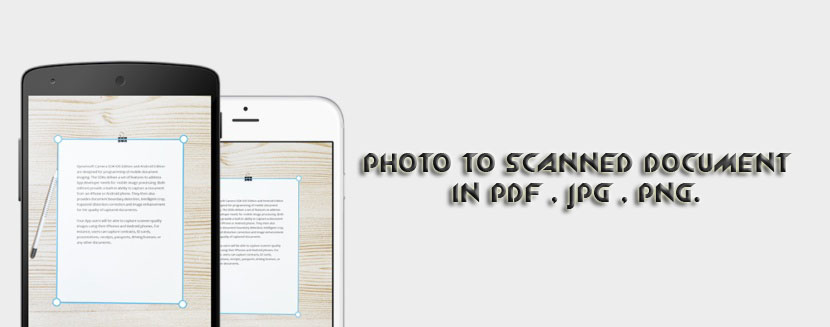
This scanned document tool has a simple online image, which allows you to gray background, crop, resize, rotate and convert it to PDF. You can use this tool online photo scanning for PC, it images a scanned copy of your document photo. You can scan documents for free.(इस स्कैन किए गए दस्तावेज़ टूल में एक सरल ऑनलाइन छवि है, जो आपको पृष्ठभूमि, फसल, आकार बदलने, घुमाने और पीडीएफ में बदलने की अनुमति देती है। आप पीसी के लिए इस टूल ऑनलाइन फोटो स्कैनिंग का उपयोग कर सकते हैं, यह आपके डॉक्यूमेंट फोटो की स्कैन की हुई कॉपी करता है। आप मुफ्त में दस्तावेजों को स्कैन कर सकते हैं।)
How to crop document image to required area?
After uploading the document image the first step is to crop to the required area, drag the image to draw the crop area, then press the crop button.(दस्तावेज़ छवि को अपलोड करने के बाद पहला कदम आवश्यक क्षेत्र में फसल है, छवि को फसल क्षेत्र खींचने के लिए खींचें, फिर फसल बटन दबाएं।)
How to scan image?
After uploading the document image. Crop and press scan button, you can press the scan button several times to improve the document. This will filter out the gray background.(दस्तावेज़ छवि अपलोड करने के बाद। दस्तावेज़ को बेहतर बनाने के लिए, आप कई बार स्कैन बटन दबा सकते हैं। यह ग्रे बैकग्राउंड को फिल्टर करेगा।)
Super Scan: This is a better gray background remover, it takes some time to process the document. It is useful for black and white text documents.(सुपर स्कैन: यह एक बेहतर ग्रे बैकग्राउंड रिमूवर है, दस्तावेज को प्रोसेस करने में कुछ समय लगता है। यह काले और सफेद पाठ दस्तावेजों के लिए उपयोगी है।)
How to adjust Brightnes and Contrast?
By pressing the brightness / contrast plus or minus button multiple times, you can increase or decrease the brightness, contrast.(चमक / कंट्रास्ट प्लस या माइनस बटन को कई बार दबाने से, आप चमक, कंट्रास्ट को बढ़ा या घटा सकते हैं।)
How to resize image?
After uploading you will get options to resize, resize in pixels or you can reduce it in percentage.(अपलोड करने के बाद आपको आकार बदलने, पिक्सेल में आकार बदलने के विकल्प मिलेंगे या आप इसे प्रतिशत में कम कर सकते हैं।)
When resizing images, you can choose to keep the original aspect ratio or change it as you wish by pressing the lock button. Note: Changing the aspect ratio of an image can distort the image.(छवियों का आकार बदलते समय, आप मूल पहलू अनुपात को रखना चुन सकते हैं या लॉक बटन दबाकर अपनी इच्छानुसार इसे बदल सकते हैं। नोट: छवि के पहलू अनुपात को बदलने से छवि विकृत हो सकती है।)
Download resized, croped Image
You get three options to download as PNG, JPG or PDF.(आपको PNG, JPG या PDF के रूप में डाउनलोड करने के लिए तीन विकल्प मिलते हैं।)